Current-site matches
Check whether the current domain maps to a tracked company, organization, team, or person in the MAGA or Not directory.

Chrome Extension
The MAGA or Not Chrome extension brings the directory into your browser. It can show score context for matched sites, add conservative inline badges on matched X or Twitter profiles, and open a side panel with score, tags, and key evidence.
The extension is currently distributed as an unlisted Chrome Web Store install, so it does not appear in normal public store search or browse results.
Check whether the current domain maps to a tracked company, organization, team, or person in the MAGA or Not directory.
Show conservative inline score badges on matched account/profile name rows instead of scattering generic annotations across page copy.
Open a side panel with the score, top tags, and key evidence, then jump into the full site profile when you want the full record.
These are the same screenshots used in the Chrome Web Store listing, so the install flow and the on-site extension page stay visually aligned.
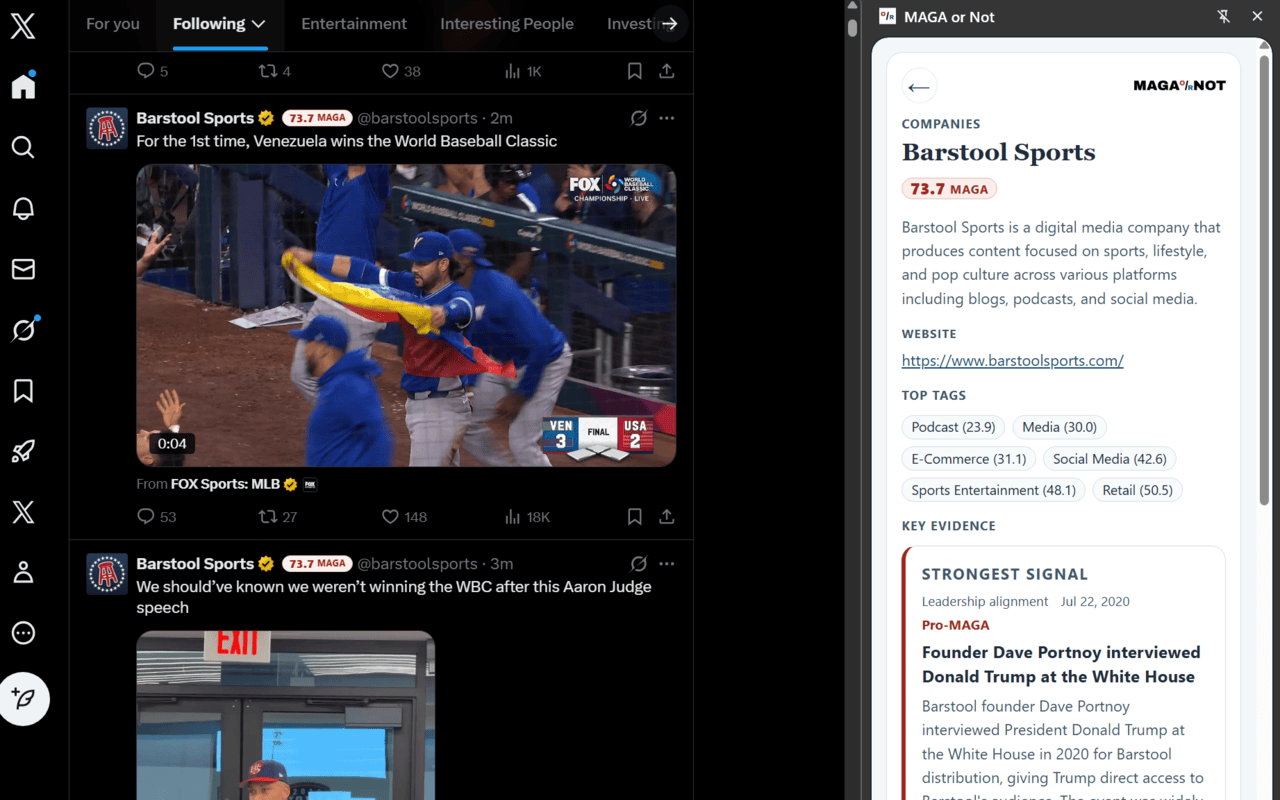
An inline badge attached to a matched account/profile name row with the side panel open beside it.
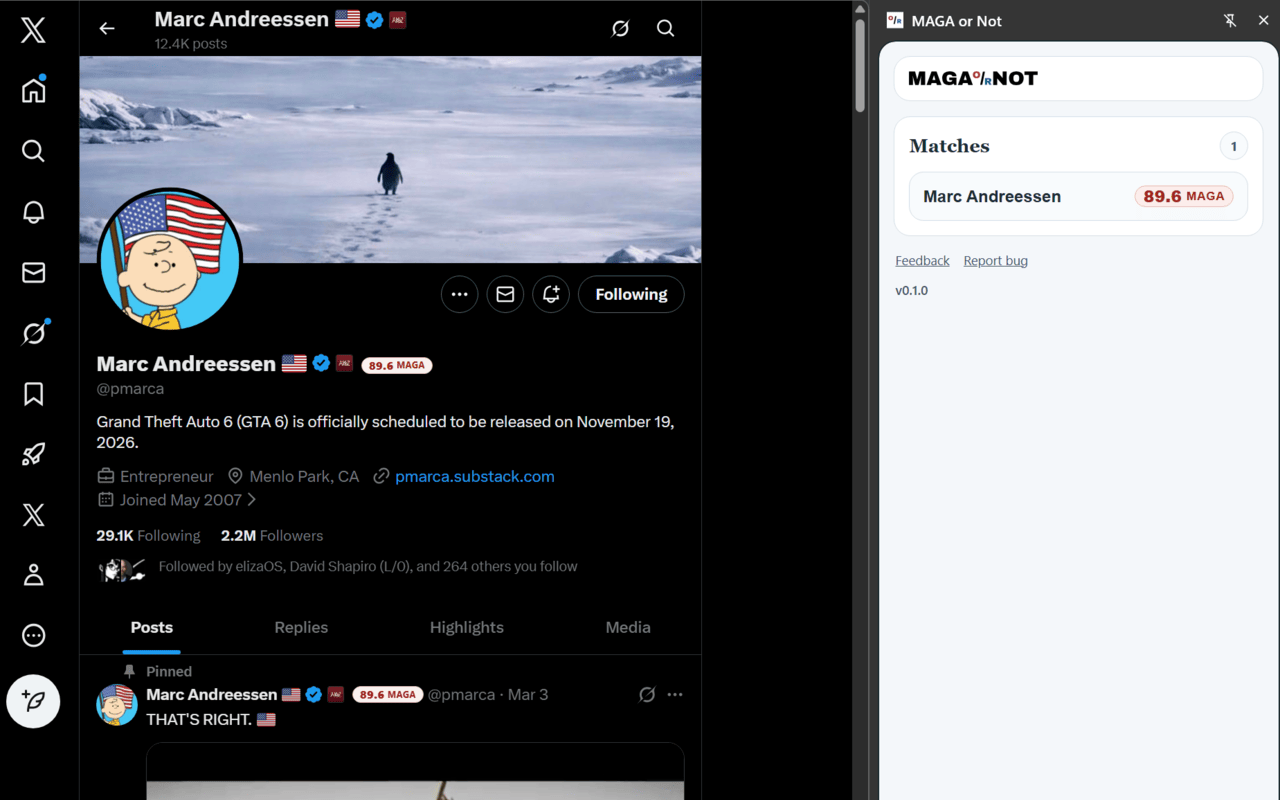
A matched site with the extension showing the side panel detail view for the current domain.

The side panel emphasizing tags, supporting evidence, and the jump back to the full site profile.
On normal websites, the extension may send the current hostname to MAGA or Not so the site can resolve a domain match and fetch detail for matched entities.
On X or Twitter, matching is performed locally in the browser from structured profile/account UI, and the extension does not send full page text or post content back for generic matching.
The extension stores matcher cache, site-match cache, and per-tab side-panel state locally in Chrome storage on your device.